How does your pet react to your Dulcimer playing?
OFF TOPIC discussions
Sally's dog and cats pretty much ignore my playing. On the other hand, my pet Manatee and I are working up a duet set of water songs.
Robert -- Lisa gave you the simplest answer -- we re-tune. If the notes are not available on the melody string you are not in the right mode. In your case DAd would not be the correct mode. Here's a link to a YouTube vid where dholeton plays Precious Memories in Ionian Mode (he uses Eb Bb Bb -- half a step up from DAA. There is also contact info for the player and other information in the comments below the tune.
BY slowing down the video you should be able to pick out the frets he is using, and write your own tab from that.
How do your pets react to your playing? My older cat Fifi likes to sleep on my feet as I play . My dog Scout doesn't know what to make of it (that's her reaction to most things), and my young cat Baby is too busy causing mayhem, bringing in her trophys for us to admire , to care.
Dalton, If the notes appear in a vertical line in your tab, it was also written for Chord/melody style. Just ignore the other lines and just play the one on the melody string. If the notes appear on the middle or bass strings, it was probably written as a fingerpicking or flatpicking tab. If you give us the names of the tunes you want to learn, we can give you direction on where to find them.
Dalton, the short answer is- we'll often re-tune our melody string so that the melody notes we need are playable on the melody string and not 'missing'.
Here is a blog post I wrote about why I might be in a different tuning in order to get those 'missing' notes on my melody string...it's about DAA, but can be applied to help answer your question: http://dulcimer-noter-drone.blogspot.com/2009/02/why-i-like-daa-tuning.html
I'm sure others will chime in with some great replies as well. :)
Dan,
I'm sorry we were not able to fix your tablet problem and I'm sorry the site does not meet your needs.
Please let me know if you want to leave the site and if so, I can assist you in deleting your account.
Hi Lisa,
My point was that it shouldn't be happening on a desktop screen either. otherwise you're limited to a few 'preferred widths', and losing real estate..
i told you to get the Jurassic plugin
John, I've always read that squashing a desktop browser screen does not accurately replicate what happens on true mobile devices. I imagine tests are usually better on a real mobile device?
Wish I could lose weight by just squashing my screen...
John, I am confused. Why would you want to make your screen narrower and narrower? Instead of changing the shape of your screen, use CTRL - to decrease its size and CTRL + to increase it. That way the aspect ratio stays the same.
On my laptop, I can reduce the size of the screen as much as I want and it all stays visible and functional. When I increase its size, it works until 150%, when it looks like Dan's screenshot above. But no matter how the site is laid out, if you increase more and more eventually you will run out of space. You can break the laws of man, but not the laws of physics.
I don't see any differences between IE, Firefox, and Chrome in terms of the size of the screen.
No problem George! Be sure to look over all the tabs and settings in your "Account Settings"- you get lots of choices on how you want your account to work here!
Update: Hey George- beatuful new avatar you added there!
Thank you very much, sincerely, computer challenged, appreciate your time.
Dan, I'm sorry you're having trouble here, but your anger seems misplaced. As testified to by others, the site is working on iPads, Kindles, Nooks, and both tablets and phones using Adroid. So your insistence that there is a coding problem with the site is suspect at best. Not only that, but Strumelia, myself, and others have spent a fair amount of time trying to figure out how to help you.
I will say this as plainly as I can. The toolbar should not be there. Instead, on mobile devices, you get the mobile menu icon, which is that series of 6 white squares and rectangles. I can see it on your screenshot, so I know it's there. When you click that, you get a menu that has all the options of the toolbar. Please give it a try.
Hi George,
Dusty said:
George, once you are logged in, hold your cursor over your name in the toolbar (but don't click), and you will see a drop-down menu. Click on "Account Settings." Once there, you will see the generic picture with an option underneath it to "upload new image." Choose that and then you can upload a picture from your computer. When you are done, don't forget to "Save Changes" on the bottom of the screen.
Let us know if you still can't do it.
I was able to add my personal photo to profile, but when I post anything in forums, it just comes up with the stock dulcimer photo, how do I change that to a personal photo, Thanks from a very computer challenged individual!
Dan, if you purposefully zoomed in, then the only issue is that the tool bar that would show up on a website viewed from a pc is now in the mobile menu icon, meaning those white squares and rectangles. Click on that and a new toolbar will appear with all the options you would normally see. It did not exist on the old site because that site was not enabled for tablets and smartphones. This one is. The mobile interface is not identical to the regular website view, but once you get used to it, it should function better. (For the record, I still use my pc whenever I actually want to do anything other than listen to tunes.)
Yes, I did get a good deal on it, less than half what it retails fro, (which was still a good chunk) But really enjoying it, thanks for the feedback
lol Dusty. I hear what you are saying. I think these are points that might be addressed further down the road. They'd require some in depth testing and there are other issues which take precedence for a good while yet. Not saying these things are not important, just that a bunch of other other stuff requires my time ahead of them, and it'll likley be while...a couple months maybe, before I can approach them. I'm still in the 'gros-tuning' stage rather than the 'fine-tuning' stage.
One thing i will say though- this site was built on a Jamroom platform, but was put together so that it could import and support our various familiar ning-platform content and functions. To do that, some areas were coded differently from other areas, which intentionally makes them behave a little differently from each other. The Forums area for instance is not quite the same as the Groups features, or the video area that combines uploade, vimeo, and youtube videos all together. The site's areas all do function a bit differently from each other, and their coding is different, so different areas of the site might not display exactly the same on some devices...just a thought that may or may not be relevant to what you brought up. :)
Lexie, She did let me play one. I didn't have a pick and I had just cut my fingernails but I was able to manage Old Joe Clark. I wasn't able to sell it, lol. I did receive a 10% discount coupon to Tamarack. First time I ever received anything for playing (struggling for sure) an instrument.
Hmm . . . are you saying I'm dumb? Them's fightin' words.
You are correct, almost. I do indeed see that same toolbar when I go do "Discussions." When I go to my Home Page, however, I have a drop-down menu rather than a tool bar. And in some areas (Music, Audio, Groups, etc.) there is neither a toolbar nor a dropdown menu. The mobile menu icon is always there, so navigation is always possible, but it seems odd that there are different possibilities in different screens.
P.S. I was only kidding about fighting. I would only punch you with my lips on your cheek
.
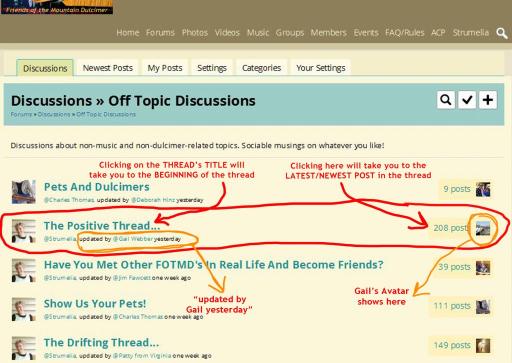
Those are the TABS you would normally see in the Forums area, if you are responding to an email notification concerning an updated discussion you are following, for example. It would take you here for instance, where you'd need to see and navigate between those discussion area TABS: http://fotmd.com/forums/forum/new_posts
Those tabs links do not appear on the site's main page.
Similarly... If you go to your profile page , likewaise you'll see a selection of navigation TABS that you would normally see on your profile page: Latest Activity, Audio, Video, Events, etc.
Strumelia, using my Android phone (a new Samsung Galaxy S6) I do indeed see the mobile menu icon when I go to the FOTMD main page. In that sense, I can navigate the site fine.
However, if I access the site directly from an email notification, not only does that icon appear on the upper left, but I also have another tool bar (which takes up two rows in portrait mode) that lists "discussions," "newest posts," "my posts," "settings," "categories," and "your settings." When I go directly to the FOTMD homepage, I do not see that toolbar.
And yes, Dan's screenshot looks like he is zoomed in too much.
Dusty, do you mean the top brown site links bar? Doesn't the desktop links bar normally get replaced by the universal mobile menu icon anyway, when the screen is small, like on a small phone?
I can produce a similar effect to Dan's screenshot when I zoom in my desktop view too much, even though my desktop is not a mobile device.
Goes to every concert and jam: the 2013 Berg cherry 5-string that appears in most of my videos, acquired in part through the generosity of a dear friend and fellow dulcimerist.
But...
Will be buried with me: my very first dulcimer, a McSpadden FM12s that was purchased brand new in 1998 for $180, with an apology from the salesman for having to charge so much!
Seems all of my favorite instruments, dulcimer or otherwise, have stories.
Dan, you might need to reduce the size of the screen. Depending on how big your tablet is, that might make it hard to read the words, but it looks to me like you have it sized at least to 125% if not 150%, and you can't get the whole screen. You mention zooming in above, but I think you need to zoom out.
For the record, I just tried for the first time to access the site from my Kindle HD 7, and it works great. The site automatically resizes when I switch from landscape to portrait mode and I see the entire site with all the buttons. The print is a little small, but I have glasses that make me see like a marksman.
However, I did just try to view the site from my Android phone, and I find the tool bar is hidden in ways similar to Dan's screen even though the rest of the page fits fine. Maybe there is an Android problem.
Patty that is cool that they have dulcimers etc. Is that tab books below them?
Did you play them for the lady so she could sell one?
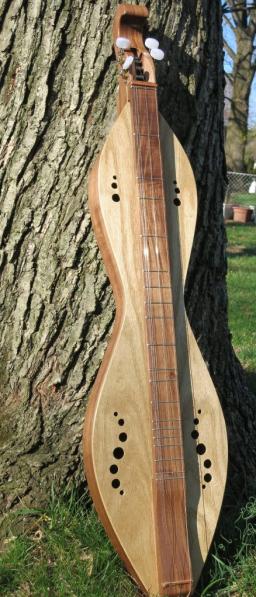
John, who made that dulcimer in your picture?
I would change the name to something like:
Neuhauser Dulcimers
Don's Dulcimers
Something simple yet descriptive. Enzo Ferrari used his name...look how well that turned out. lol
Gotta agree, Stephen... Even without the somewhat sexist connotation, the site name/first page title just doesn't jump out and grab ya!
IIWM, I'd just use
for tht first page title...
My favorite is the Ron Gibson Jenny Lind that I got last February. I enjoy playing it so much that it greatly dampened my raging case of DAD. (Note that I said "dampened", not "got rid of". It's a beautiful instrument.
BTW, I adore the Sasquatch design, complete with little footprints, shown above.
Yeah, the name should absolutely be changed, imho. The name is so terribly important, and the current one gives an icky effect.
Same old mongrel I've always played. I've built up a bit of a collection over the years, but nothing else comes quite close to the old '4 of Hearts'.
Maybe the John Pearse should get an honourable mention - small, light and always a delight to play. Use it a lot to work tunes out on.